ProductsLive
FuE Stundenzettel
Timesheets that hold up in a German tax audit.
GoBD-compliant time tracking for the German R&D tax credit: export to the BMF template of 11 November 2021, a monthly lock, a complete change log and a SHA-256 checksum on every generated file. Built and hosted in Germany. The product itself is German-only.
01
The problem
Companies claiming the German R&D tax credit (Forschungszulage) have to prove who worked how long on which project. In most companies that proof is assembled only once it is needed: from calendars, memory and a spreadsheet several people edit at the same time. When the tax auditor then asks who changed a value and when, there is no answer.
FuE Stundenzettel reverses the order. Hours are recorded per project and work package while the work happens. Planned and actual hours sit side by side while there is still time to steer. The project lead approves the month, and from that point no write operation is accepted. Every change before that, and every reversal after it, is recorded with timestamp, user and value in a change log that nobody can alter through the interface.
What comes out is what an audit asks for: a timesheet per employee following the BMF template of 11 November 2021, with a daily matrix of start, end, hours and activity. Every generated file carries a SHA-256 checksum.
For past years there is reconstruction. Rulings, payroll or HR exports, calendar extracts and project lists turn into timesheet proposals. Every value stays a proposal with its source until you confirm it, and every value can be changed. Before any payment you see a complete sample month as a PDF. Two sentences describe the limits of this feature better than any feature list: “We don’t assess.” and “We don’t invent.”
One thing to know before you look further: the product is German-only. Interface, exports and support are in German, because the form it produces is a German tax document.
02
In three steps
Record
Hours are recorded per project and work package, live via timer or added later. Employees without their own login appear in the records at no user charge.
Review and approve
Planned and actual hours sit side by side per work package. The project lead approves the month; from that point no write operation is accepted.
Prove
Export as a timesheet following the BMF template of 11 November 2021, one per employee, with a daily matrix of start, end, hours and activity.
03
What's inside
04
Reconstruction, step by step
A recorded run, not a live system: the same path the software takes every day.
Sample data, entirely invented. No real customer data, no AI running behind it.
- 01 · Read the documents
- 02 · Generate proposals
- 03 · Confirm and lock
Documents
- Payroll exportpayroll_export_2024.csv
- Calendarcalendar_person-a.ics
- Project listproject_list.xlsx
- Noticenotice.pdf
reading documents
Proposals
- Mon 04 Mar6.5 hWP 2 · Test set-upSource: CalendarProject listProposalConfirmed
- Tue 05 Mar7.0 hWP 2 · Measurement seriesSource: CalendarProposalConfirmed
- Wed 06 Mar4.0 hWP 3 · AnalysisSource: Project listCalendarProposalConfirmed
- Thu 07 Mar–Leave according to payroll exportSource: Payroll exportno proposal
We do not judge.We invent nothing.
Month preview
Timesheet · March 2024
| Day | Hrs | Activity |
|---|---|---|
| Mon 04 Mar | 6.5 h | WP 2 · Test set-up |
| Tue 05 Mar | 7.0 h | WP 2 · Measurement series |
| Wed 06 Mar | 4.0 h | WP 3 · Analysis |
| Σ | 17.5 h |
SHA-256 3f9a…c21e
05
A look inside
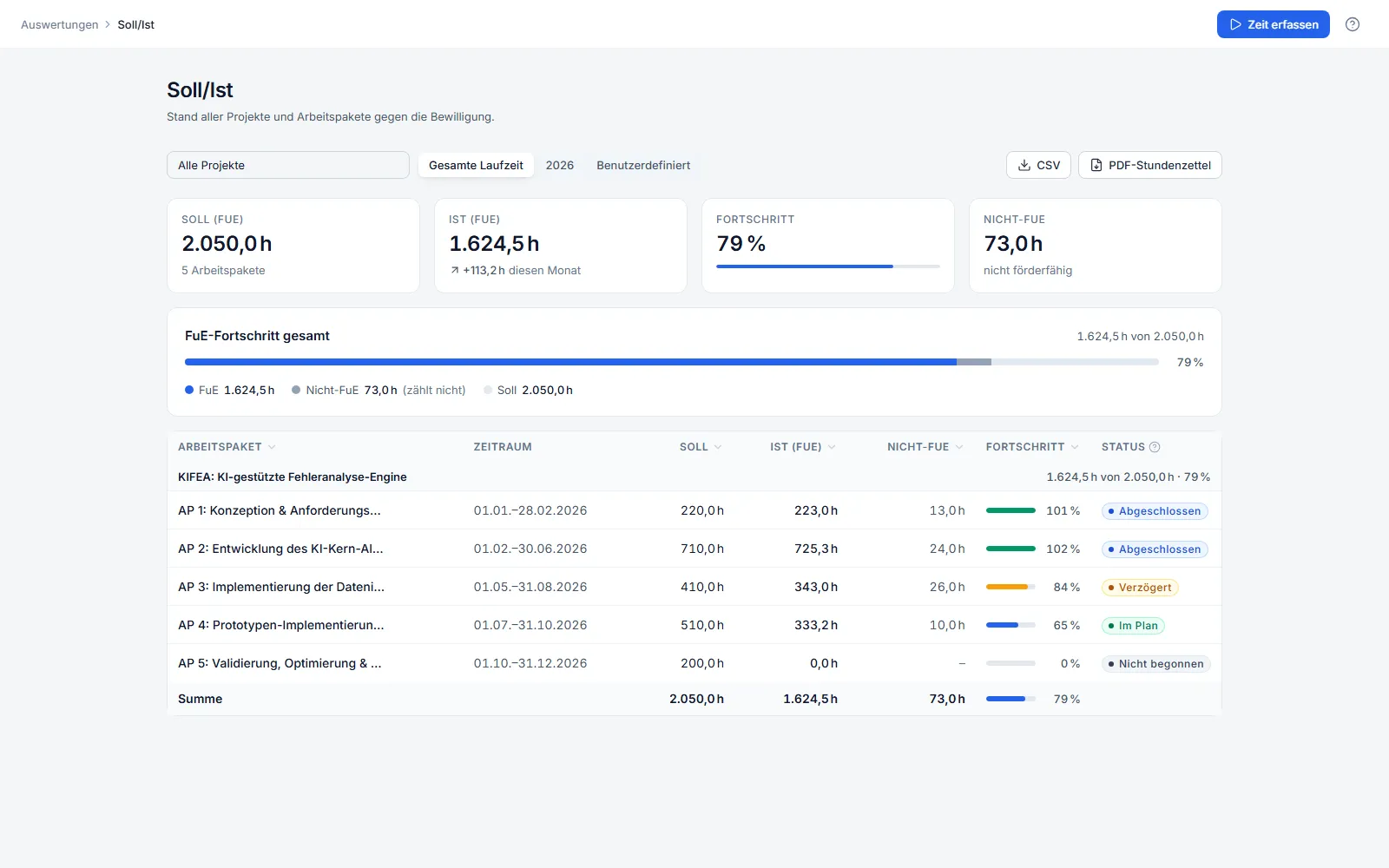
Planned vs. actual: status of all work packages against the approved hours
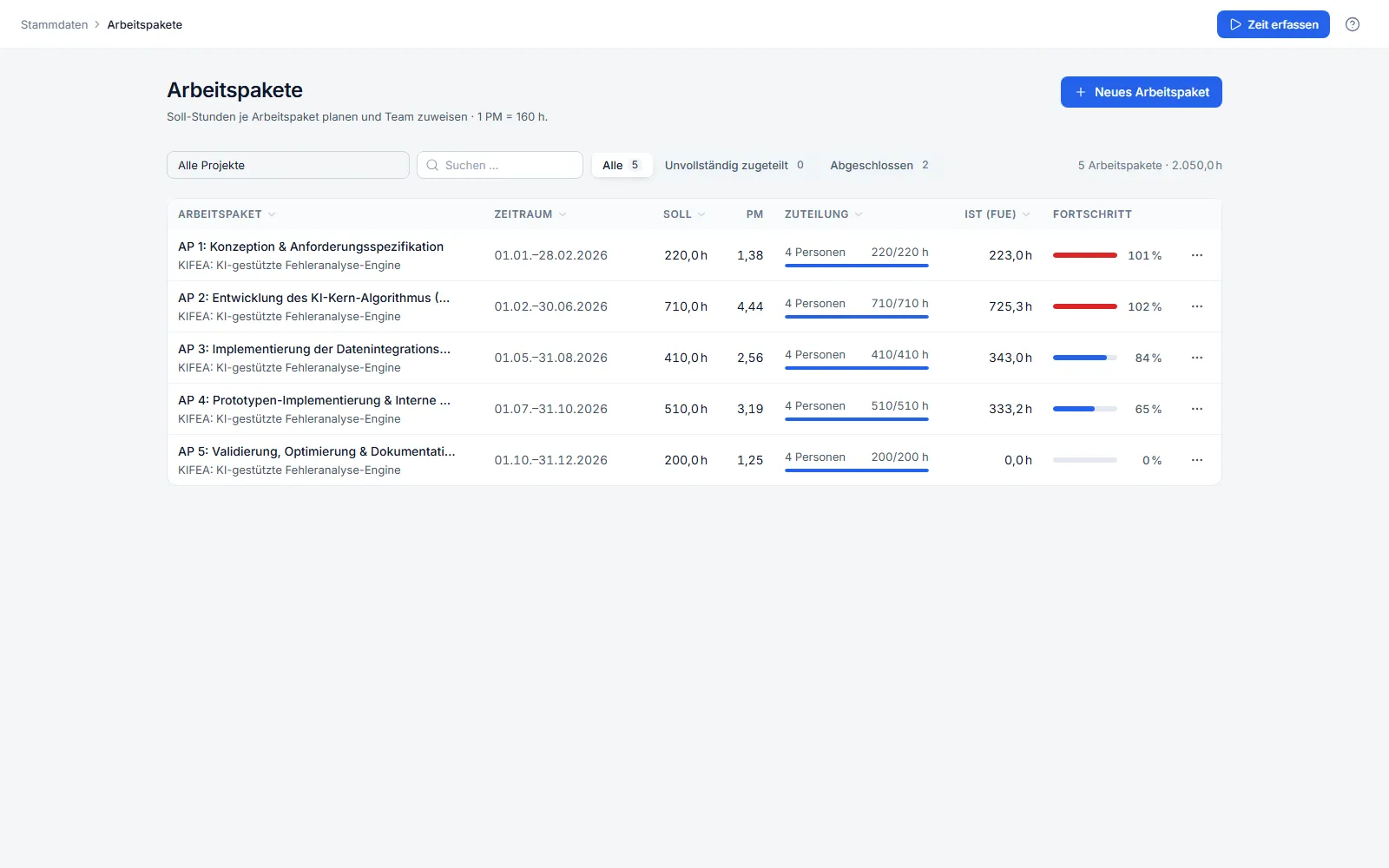
Work packages of a project with planned hours, assignment and progress
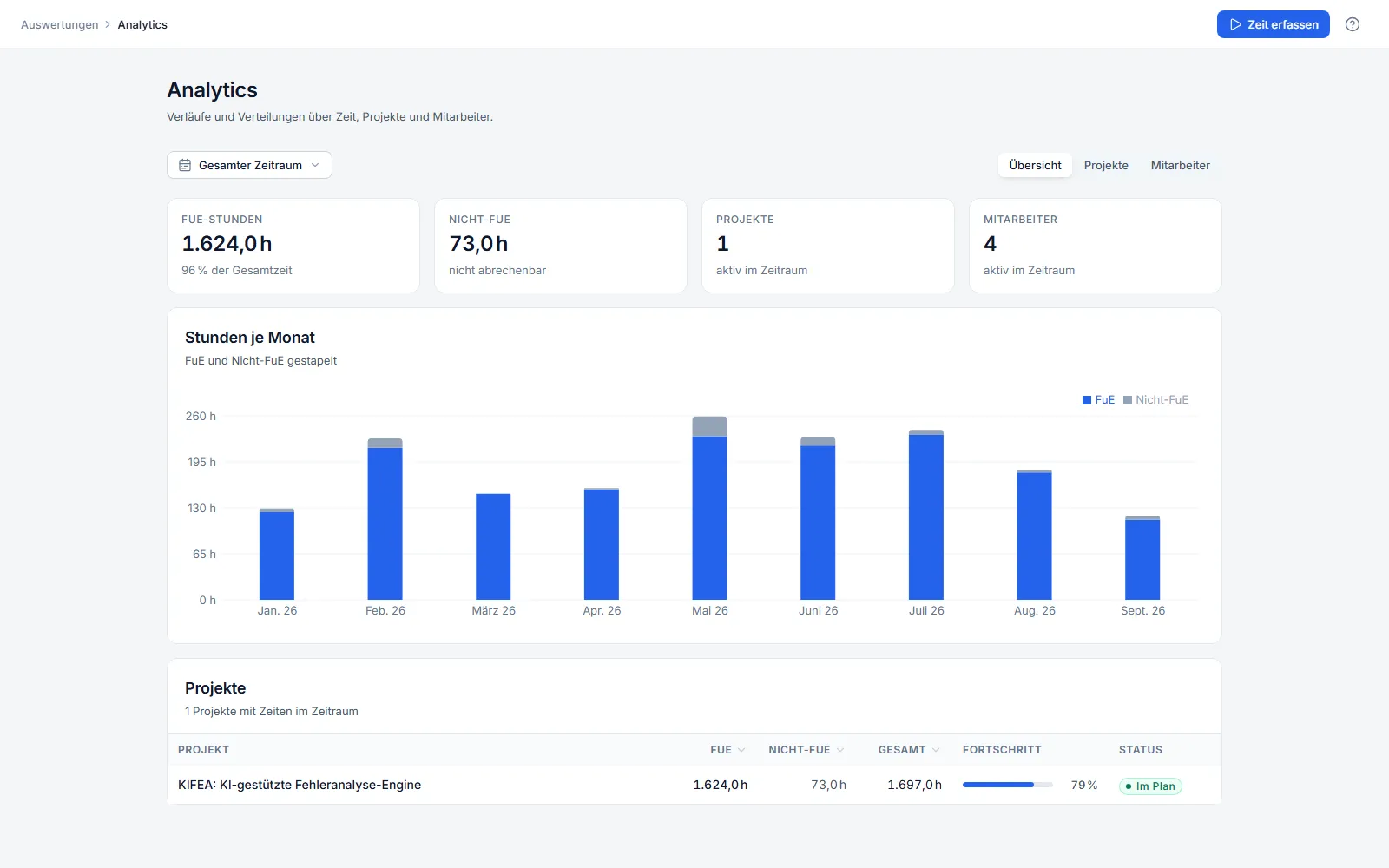
Analysis: R&D and non-R&D hours per month
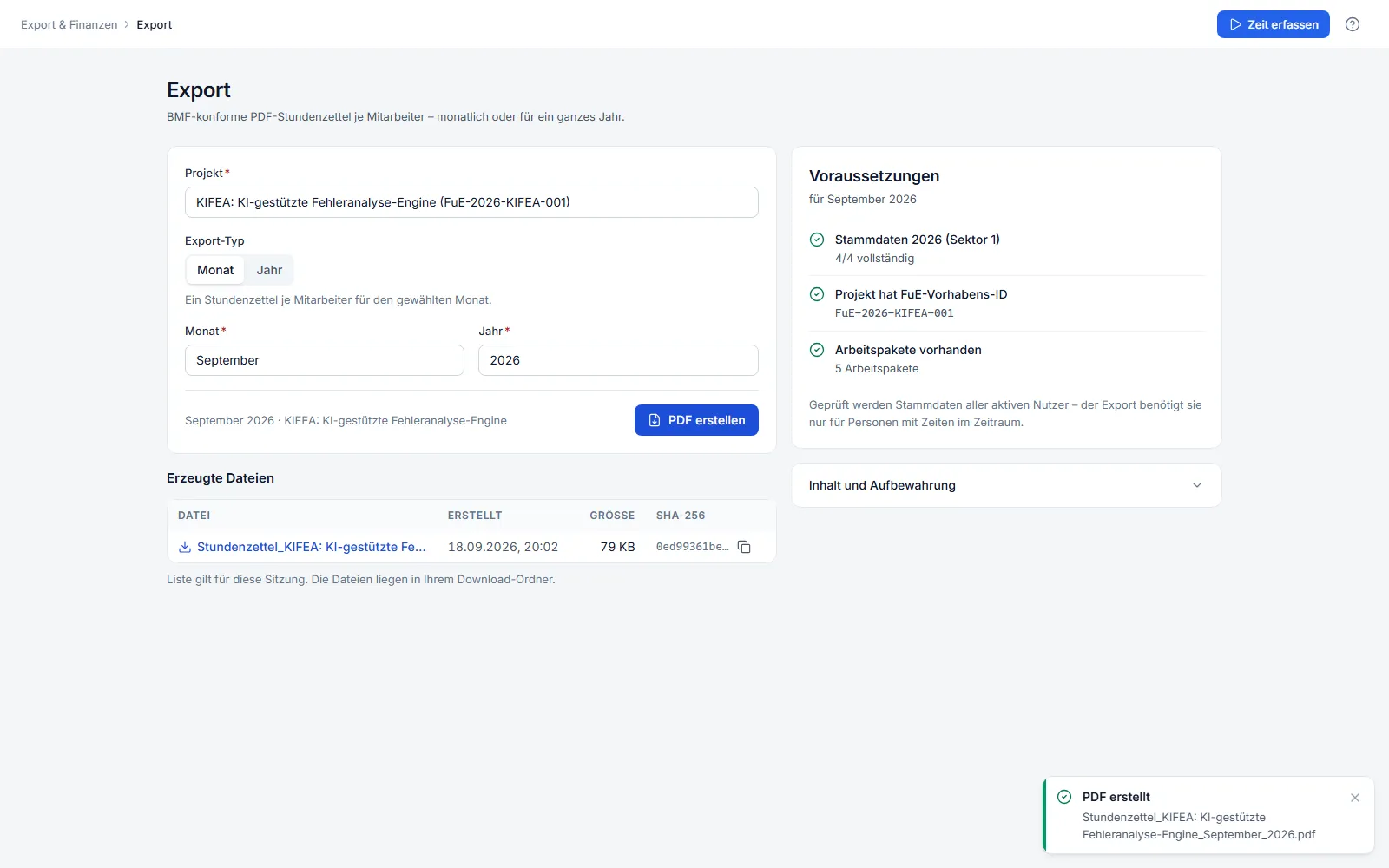
Export dialog with verified prerequisites and the SHA-256 checksum of the generated file
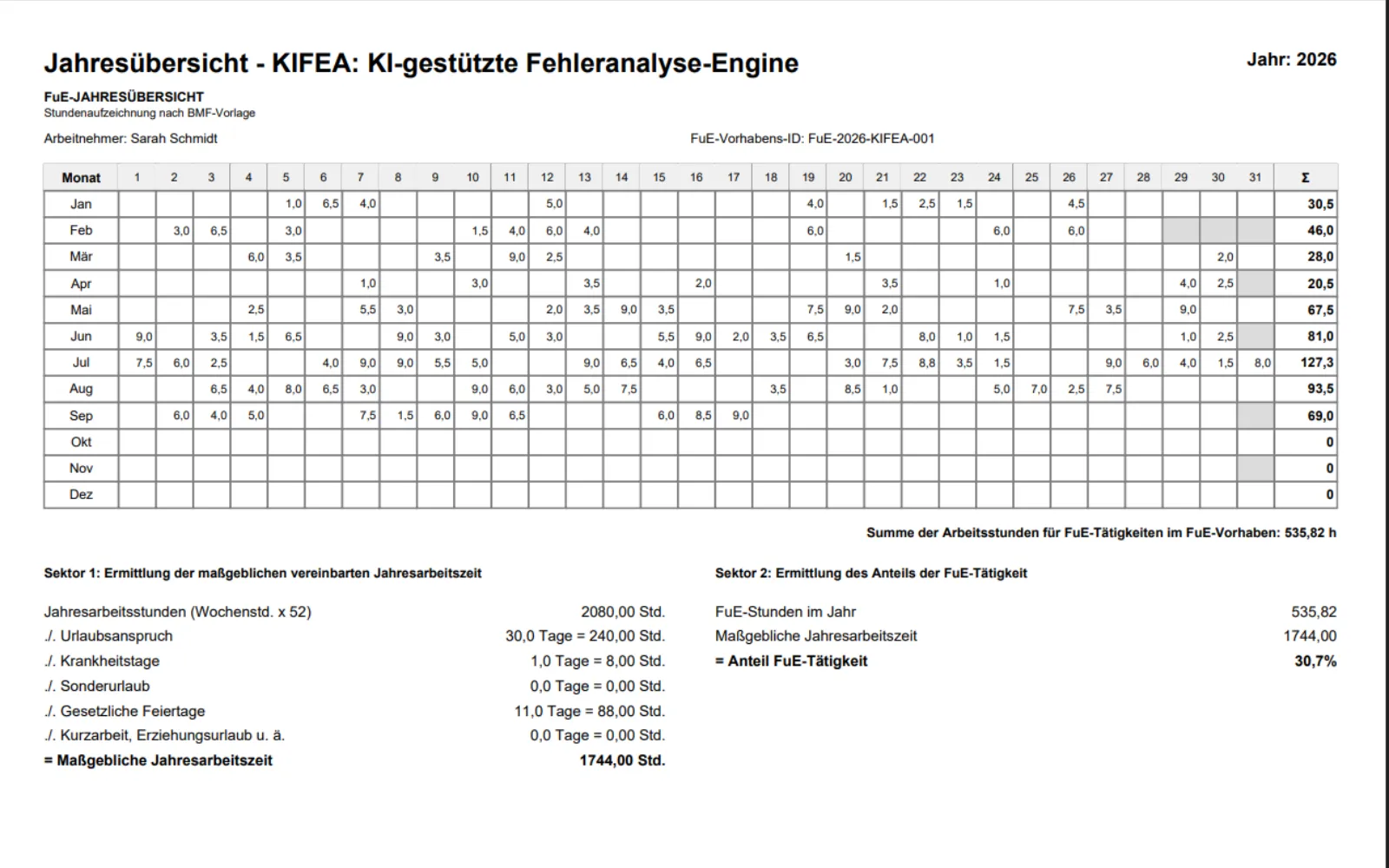
Exported annual overview as a PDF following the BMF template (sample data)
06
Pricing
All prices net, plus VAT.
Licence, monthly
€99net per user per month
Licence, yearly
€990net per user per year, equal to 82.50 € per month
Reconstruction
€199net, one-off, per person and year
07
Frequently asked
Is the product available in English?
No. FuE Stundenzettel is German-only: the interface, the exports and the support are in German, and the BMF template it produces is a German tax form. This page describes it in English; the product itself is not translated.
What does FuE Stundenzettel cost?
99 € net per user per month, or 990 € net per user per year, which works out at 82.50 € per month. There is one plan, with unlimited projects and work packages. Employees without their own login, former staff for example, are free, as is access for your tax or grant advisor.
Can I try it without risk?
Yes: 14 days, full functionality, no credit card. The trial ends automatically.
What happens after a month is approved?
From approval onwards no write operation is accepted – not the timer, not a late entry, edit, deletion or import. A reversal is possible, is given a reason and appears in the change log.
How does an auditor know an export is unaltered?
Every generated file carries a SHA-256 checksum, and PDF exports carry a machine-readable data layer as well. The change log records timestamp, user, action and change for every entry, and cannot be altered by anyone through the interface.
How does reconstruction of past years work?
You upload the records you already have: rulings, payroll or HR exports, calendar extracts, project lists, even photographs of paper lists. Timesheet proposals are generated from them. Every value stays a proposal with its source until you confirm it, and every value can be changed. Before any payment you get a preview with one complete sample month as a PDF. It costs 199 € net, one-off, per person and year.
Where is the data?
Application, database and uploaded documents are on servers in Germany. For the machine analysis of uploaded documents, a service processing inside the European Union is used: Google Cloud Vertex AI via the EU endpoint with region eu.