ProductsLive
Klickdemo
Your product explains itself.
Explainer videos that record themselves: an AI agent explores your web app, website or Excel file, writes a script for your approval and records finished videos with narration, captions and your branding, in 40+ languages. Plans from €59 per month plus VAT.
01
The problem
Making a product video by hand means writing a script, recording the screen, booking a narrator and editing. After the next release it is out of date, and another language usually means doing it all again.
Klickdemo turns that around. You grant access instead of writing a description: an AI agent clicks through your web app, website or Excel file, builds a knowledge base and proposes a script. No video is made without your approval. Recording happens in your real interface, with cursor, zoom, AI narrator, captions and chapters, in 40+ languages, each recorded from scratch.
The videos are maintained like code: after a release Klickdemo replays the approved script and re-explores only where the interface changed. Billing is in credits by finished length, with an estimate and a maximum before every run; failures on our side cost nothing. Results from AI systems can vary, which is why there is the approval step and a redo guarantee.
Klickdemo is for businesses only, and we use it for our own products. The videos are labelled as AI-generated: machine-readable in the metadata, as a note in the player and in the outro. Klickdemo publishes to YouTube through Castfold, another product of ours. Klickdemo is not affiliated with Google or YouTube.
02
In three steps
Name the source
A web app with a demo account, a public website or an Excel file. You say who the video should convince and what the AI may click.
Approve the script
The agent explores your product and proposes narration and screen action scene by scene. You change what you do not like and approve.
Receive the video
Klickdemo records the scenes in your real interface with cursor, zoom, AI narrator, captions, chapters and your branding. Ready as MP4, to embed or for YouTube.
03
What's inside
05
A look inside
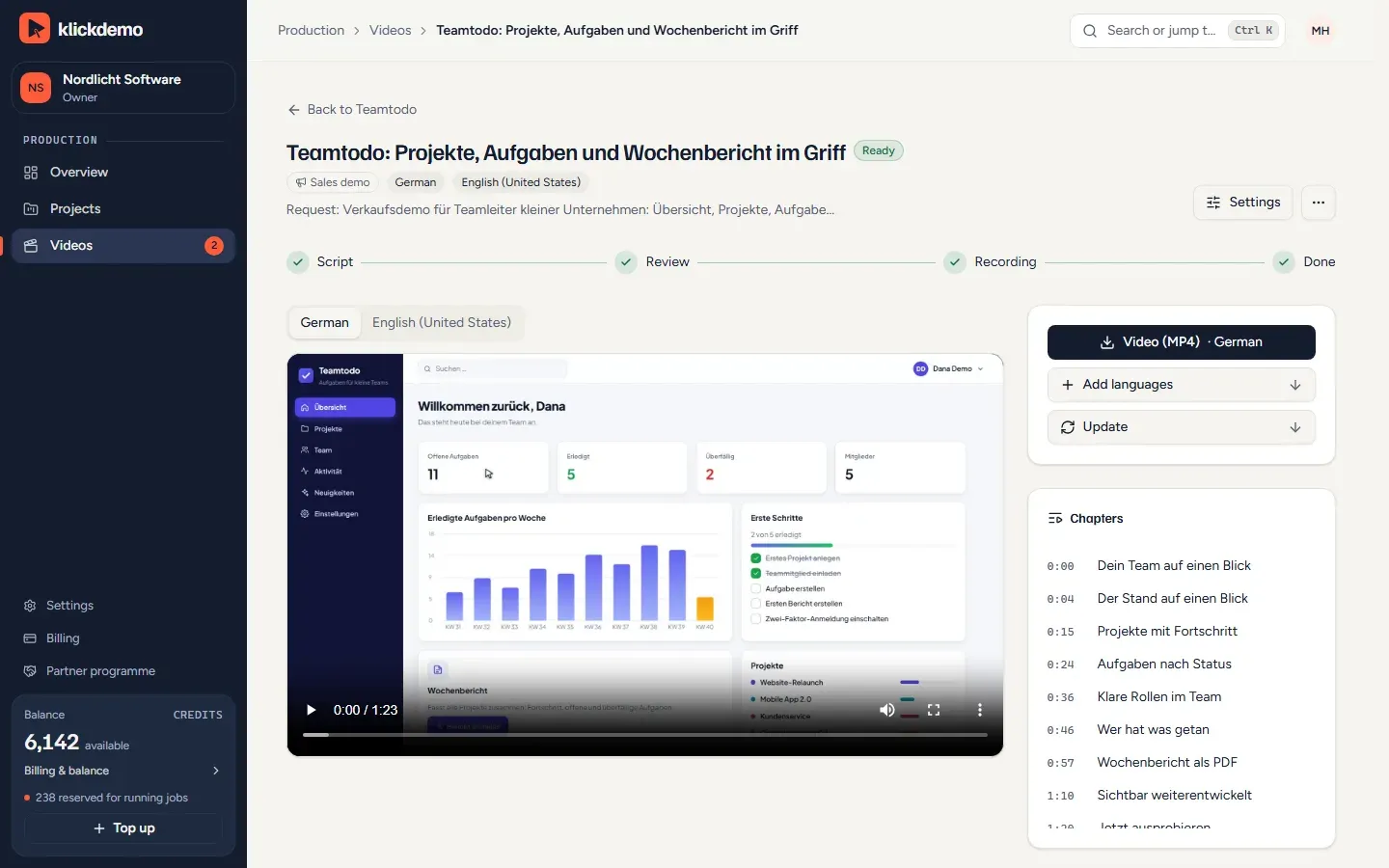
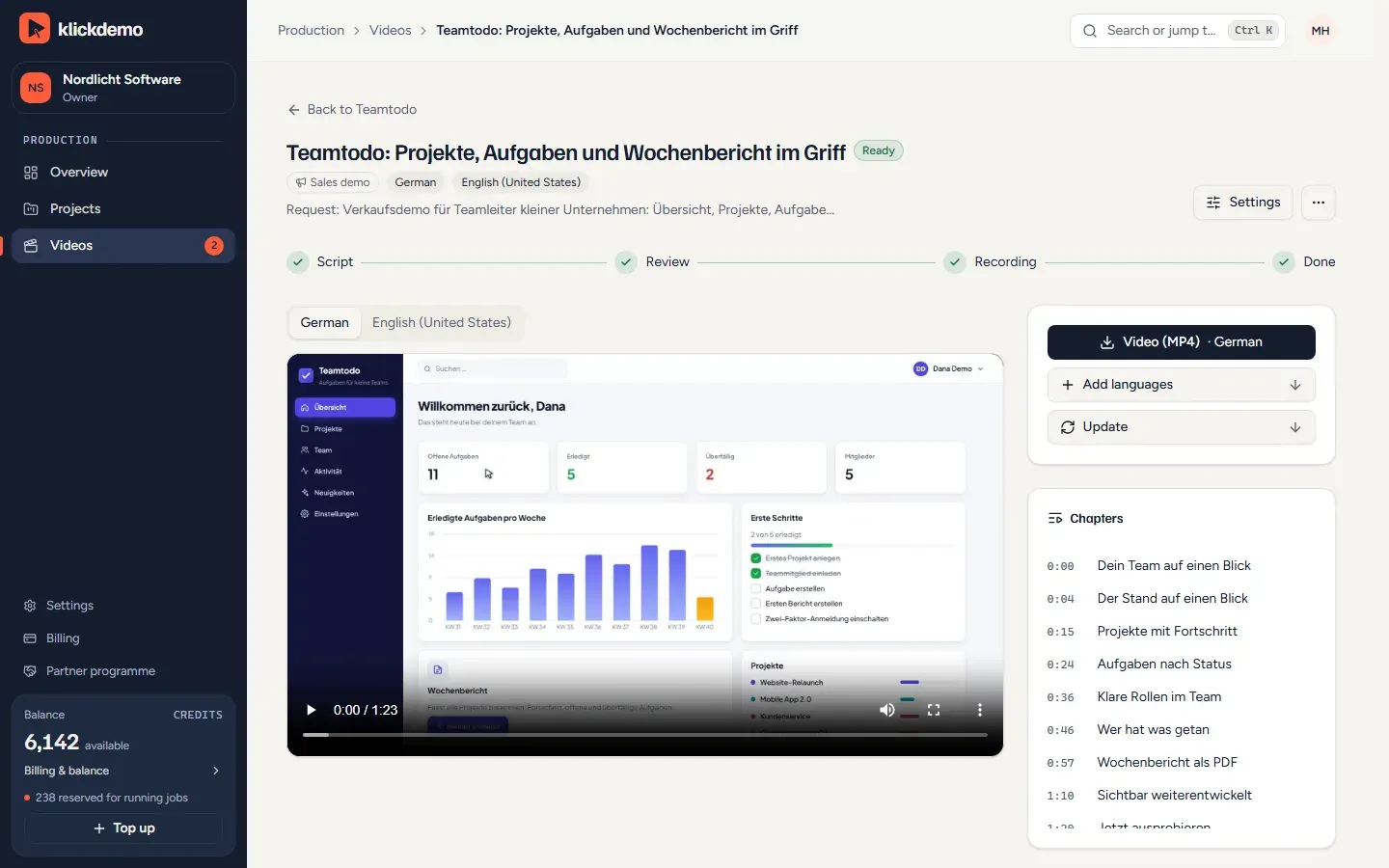
Screenshot: a finished video with player, German and English versions and a chapter list (demo account)
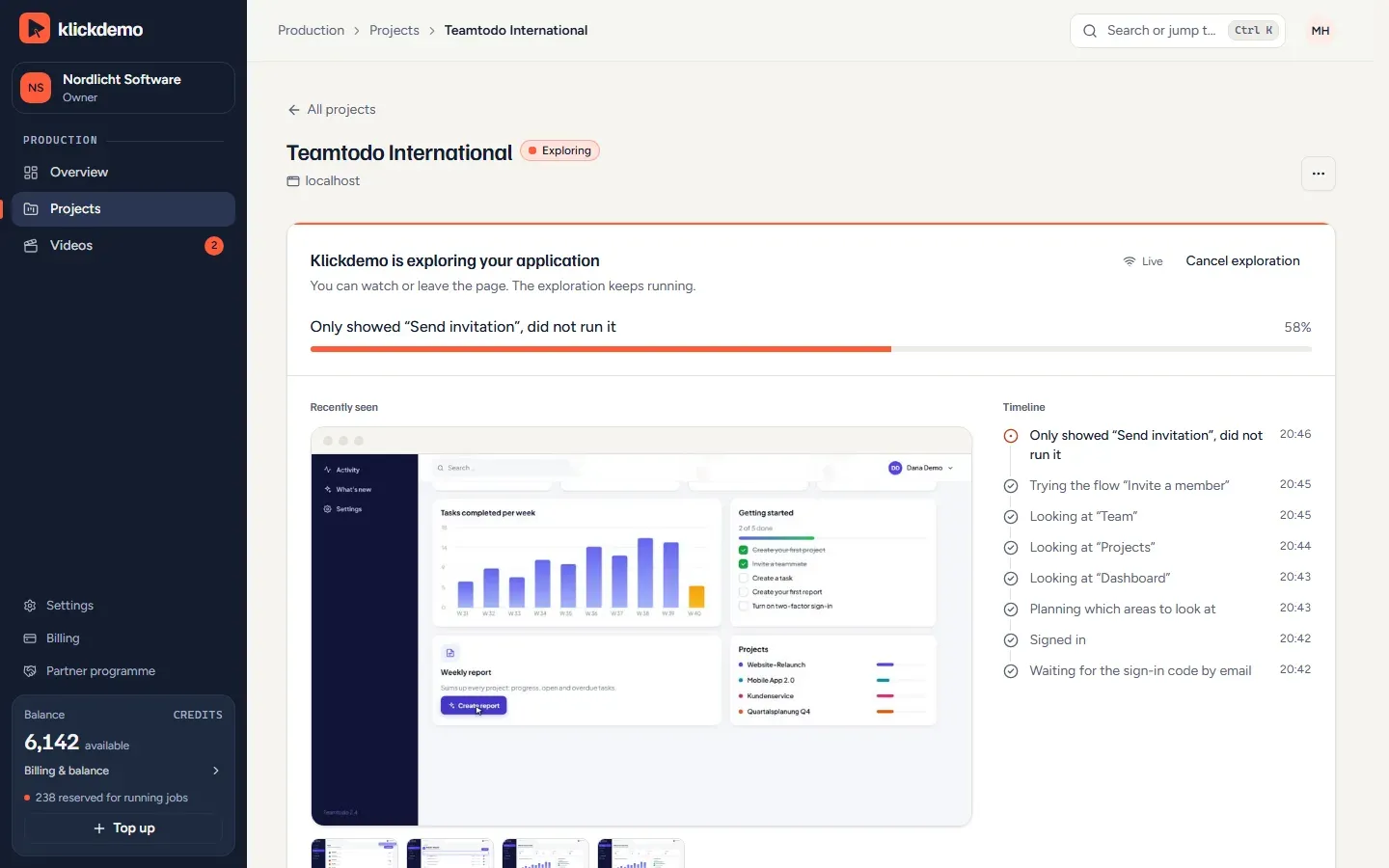
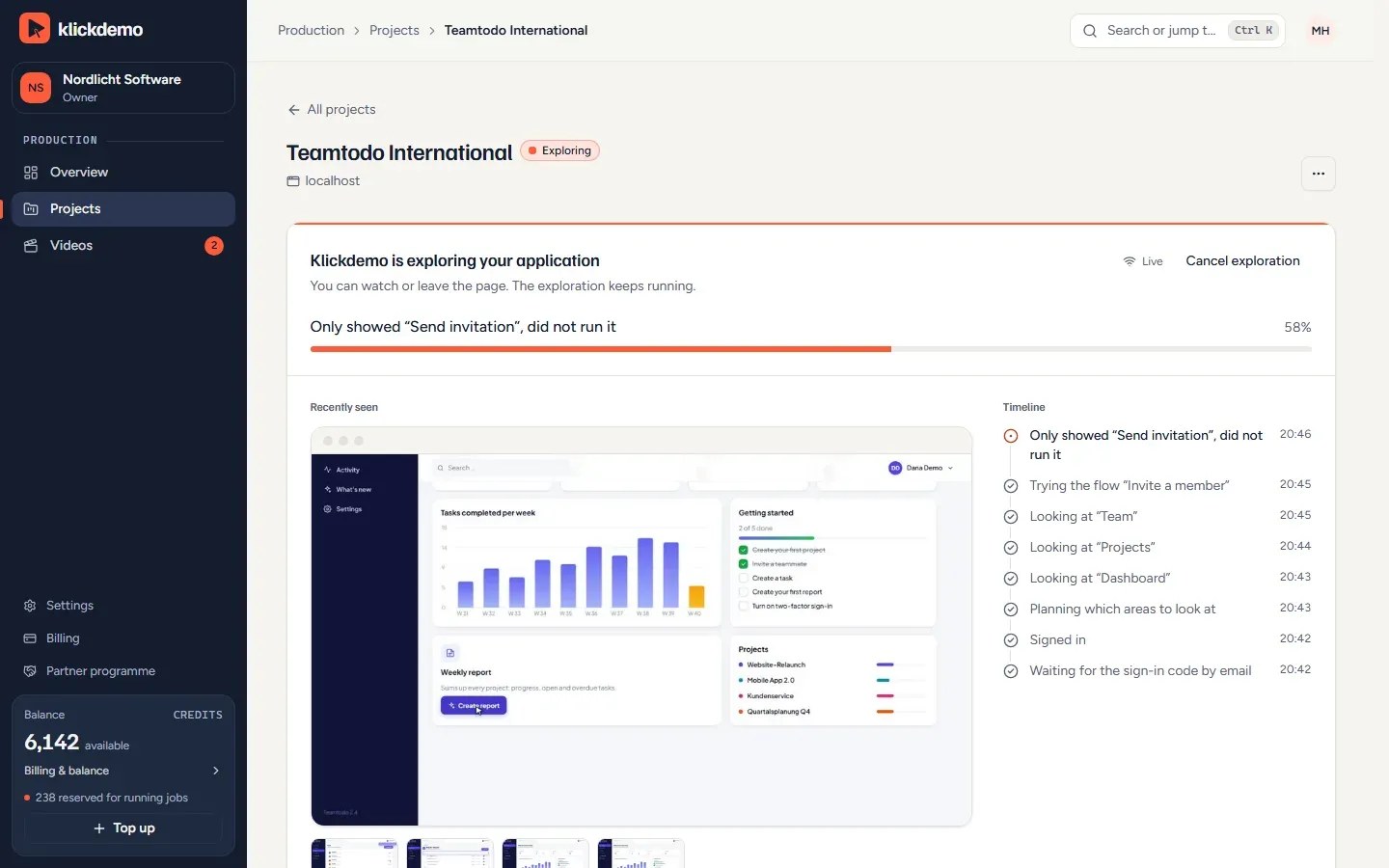
Screenshot: exploring a web app with the page last seen; the log shows an invitation that was only shown, not sent (demo account)
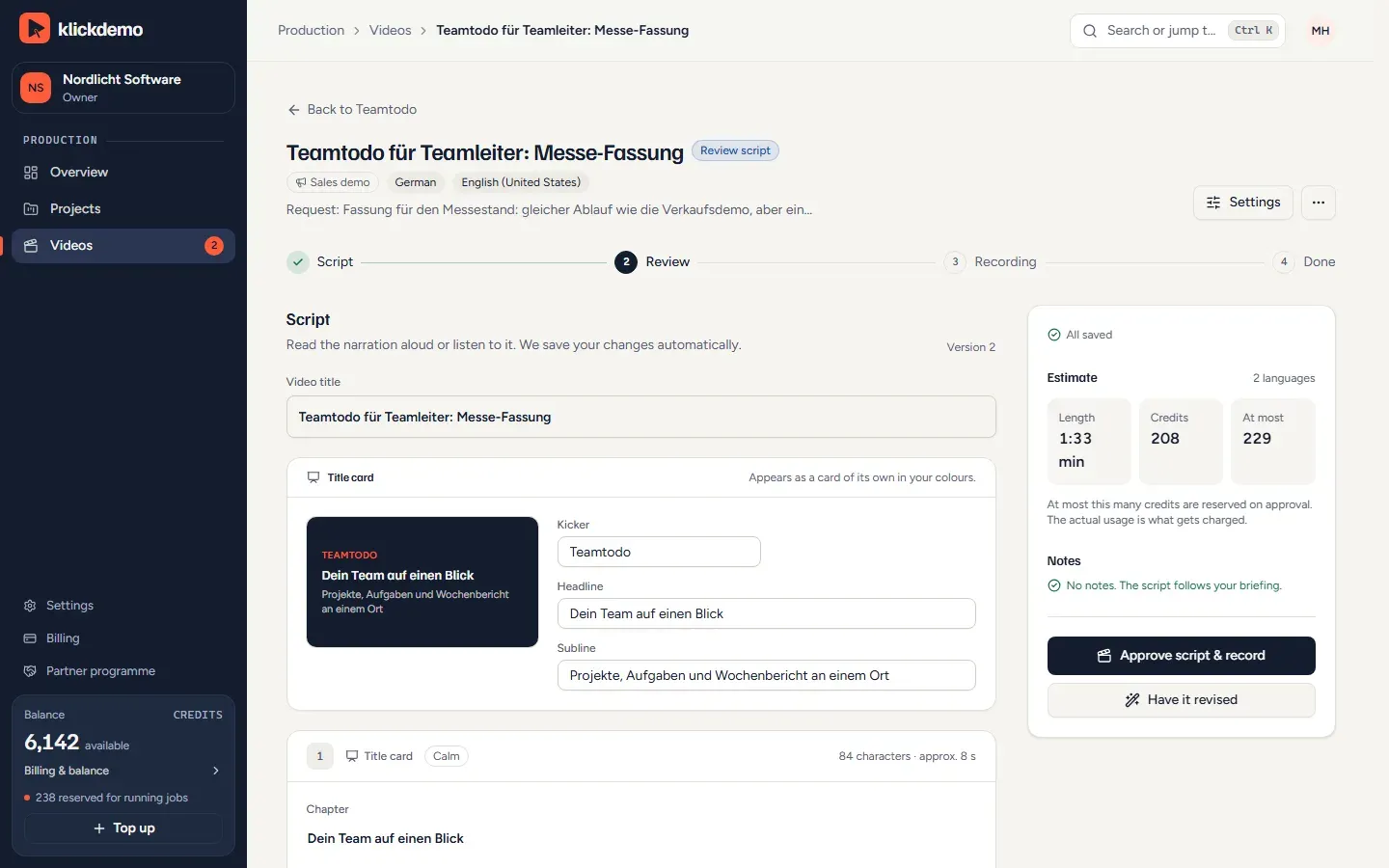
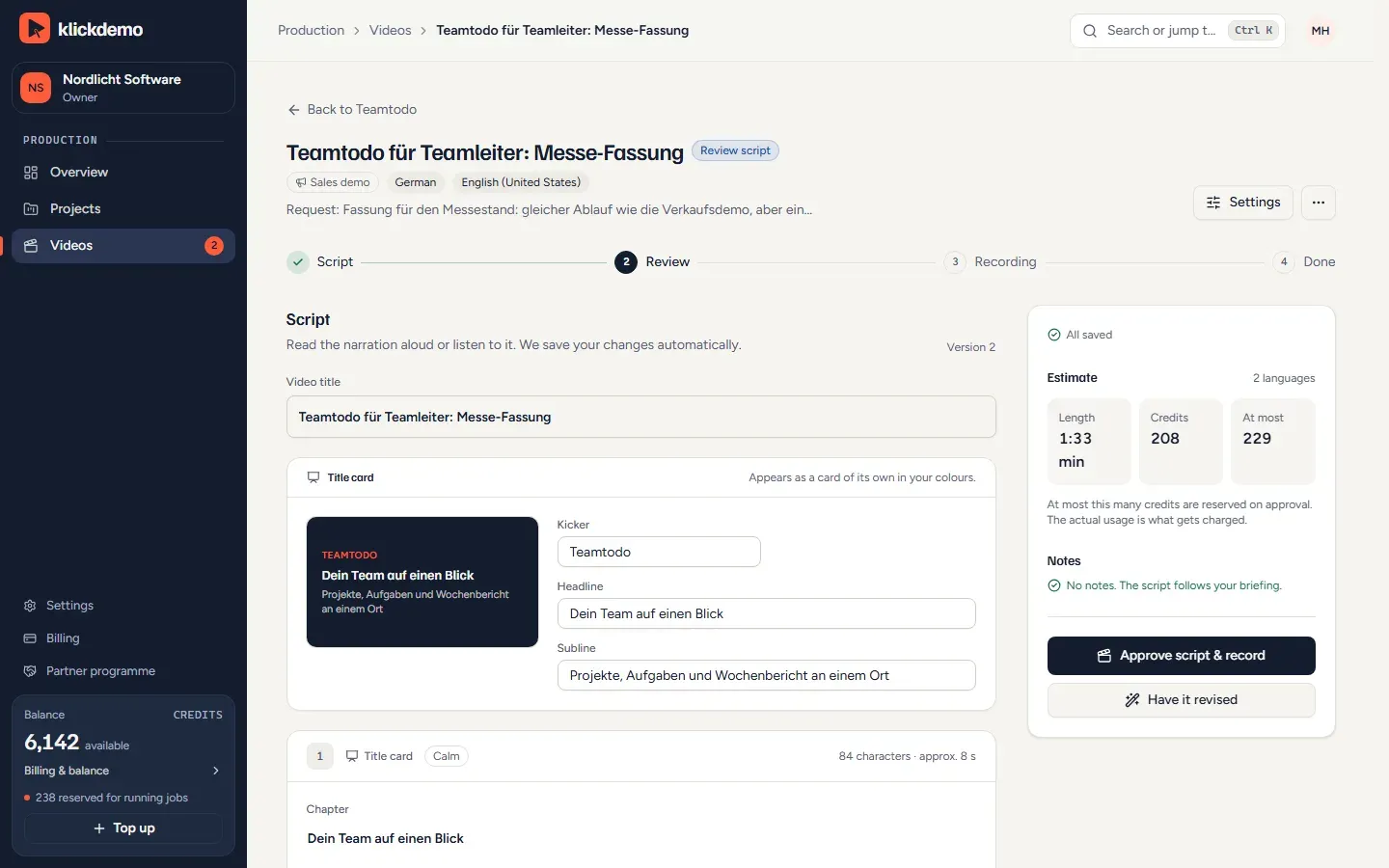
Screenshot: script review with title card, estimate of length and credits and approval for recording (demo account)
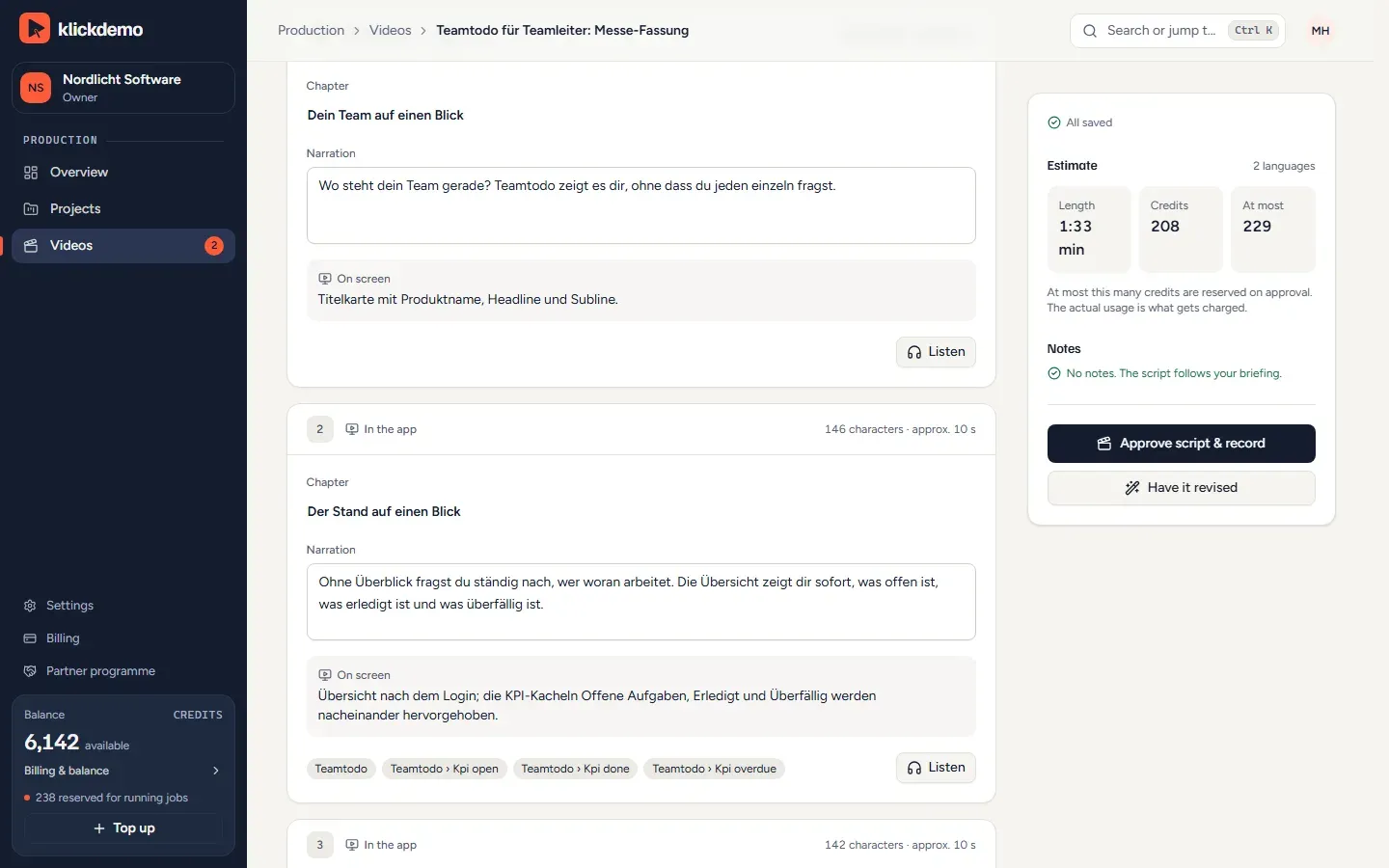
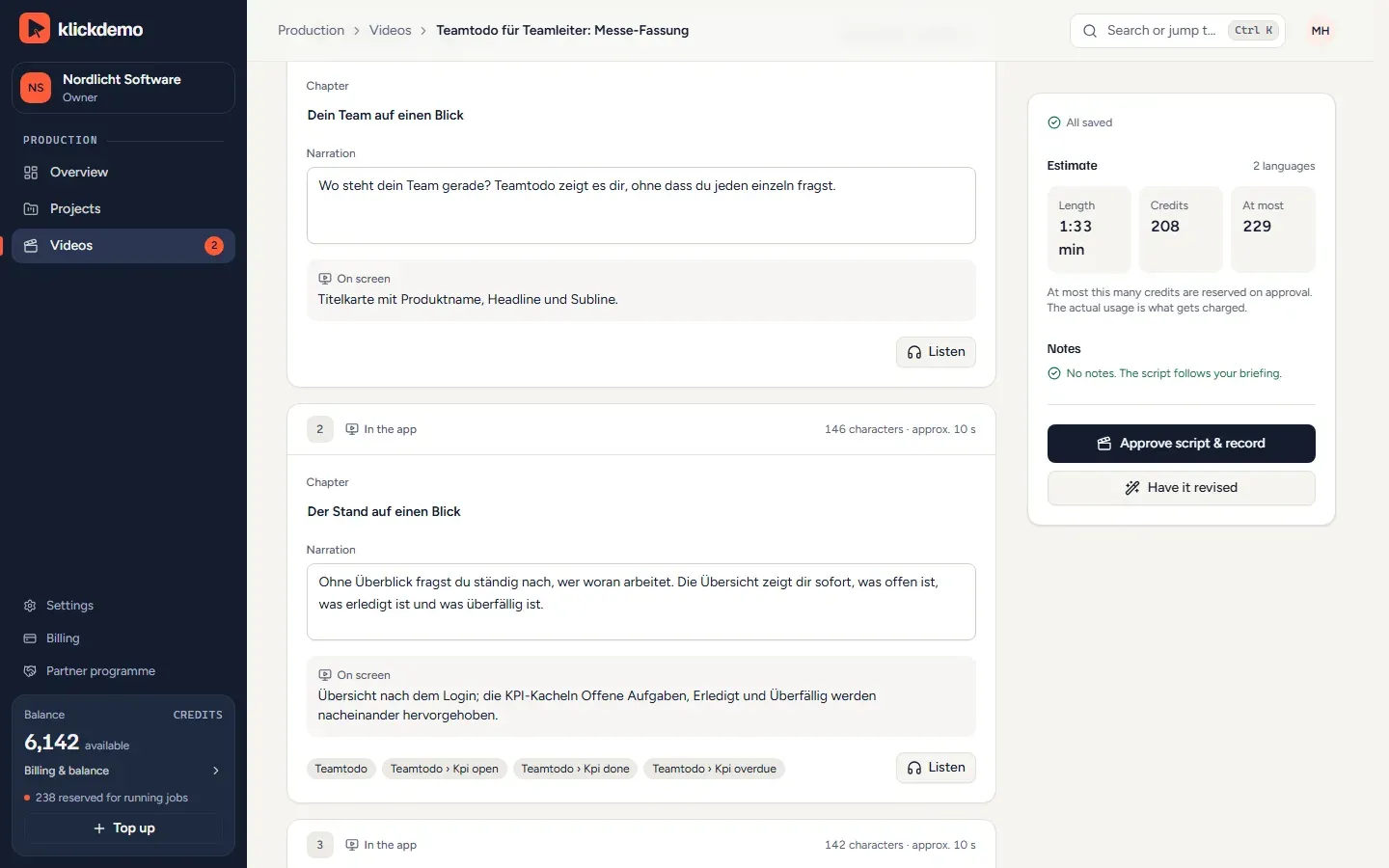
Screenshot: script scenes with chapter, narration and screen action, each scene can be played back (demo account)
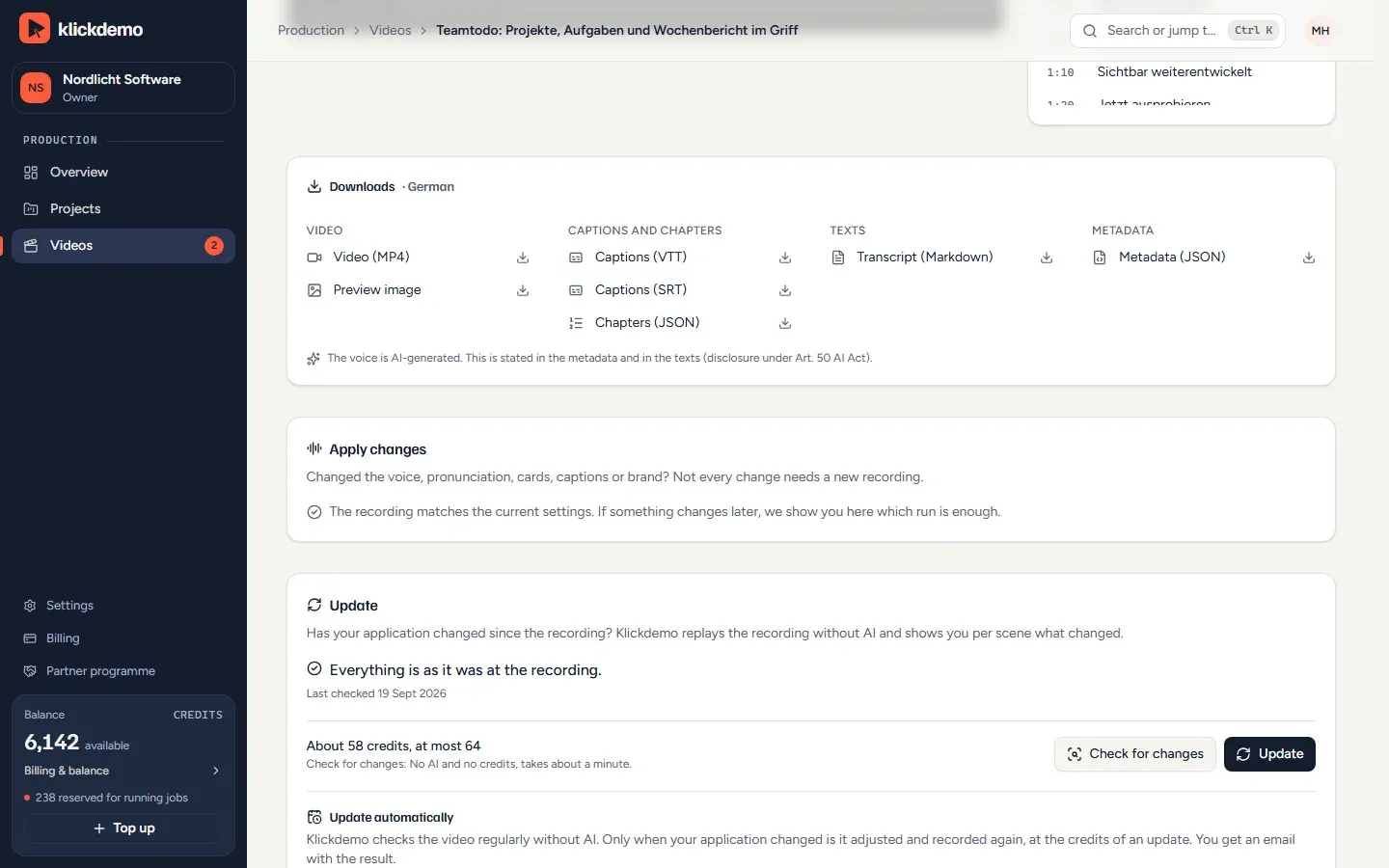
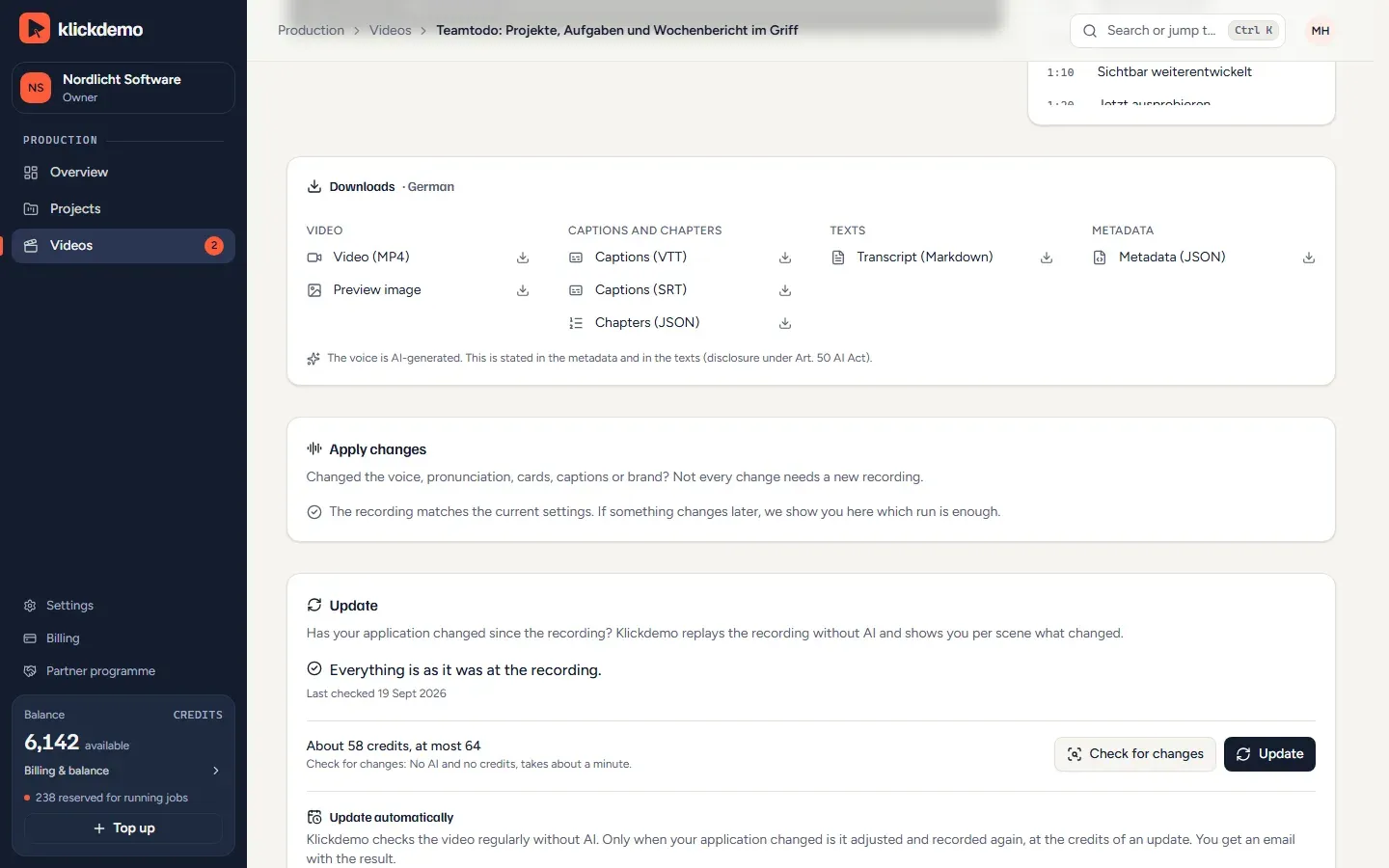
Screenshot: downloads for a video (MP4, VTT and SRT captions, chapters, transcript, metadata) and an update after the application changed (demo account)
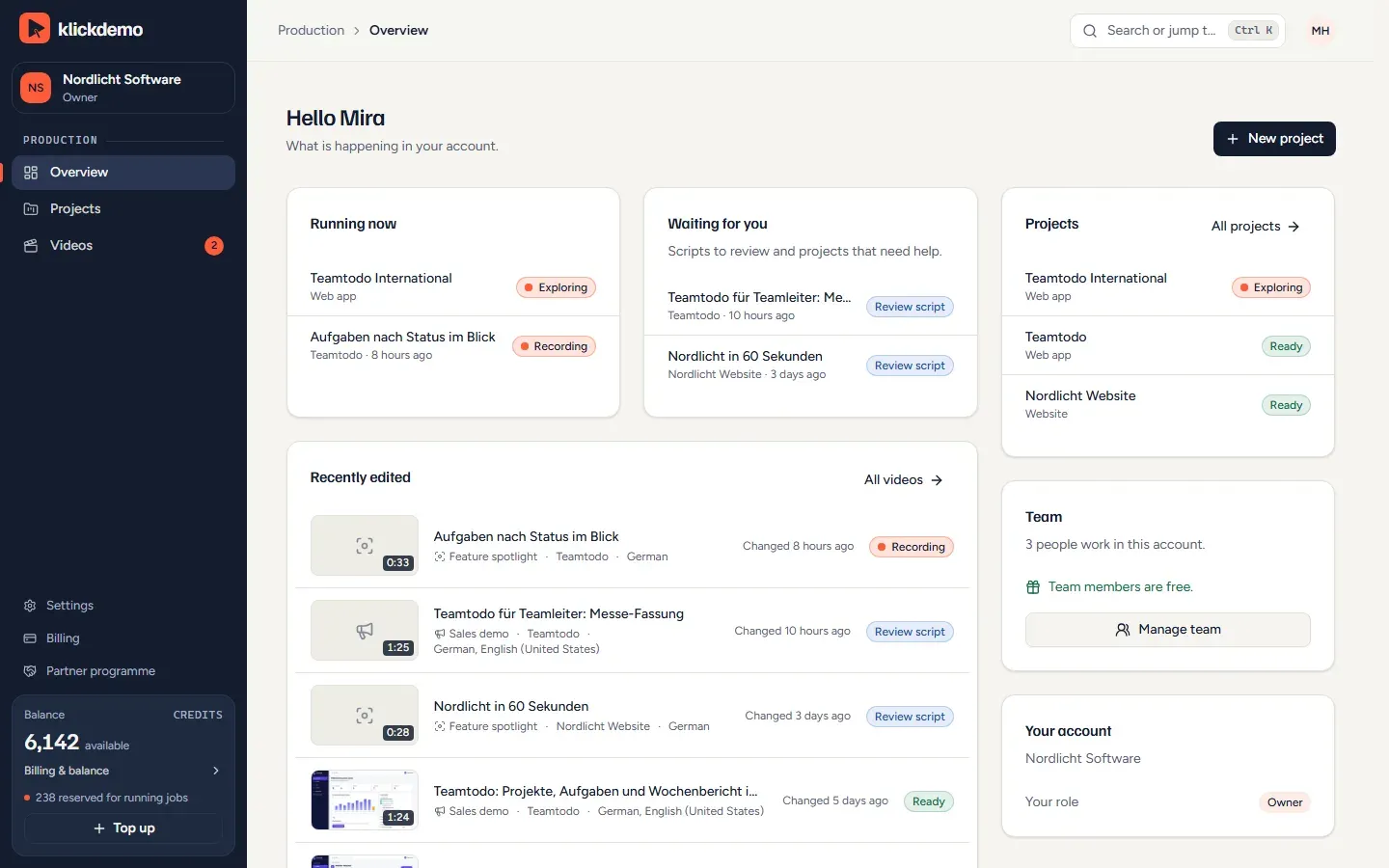
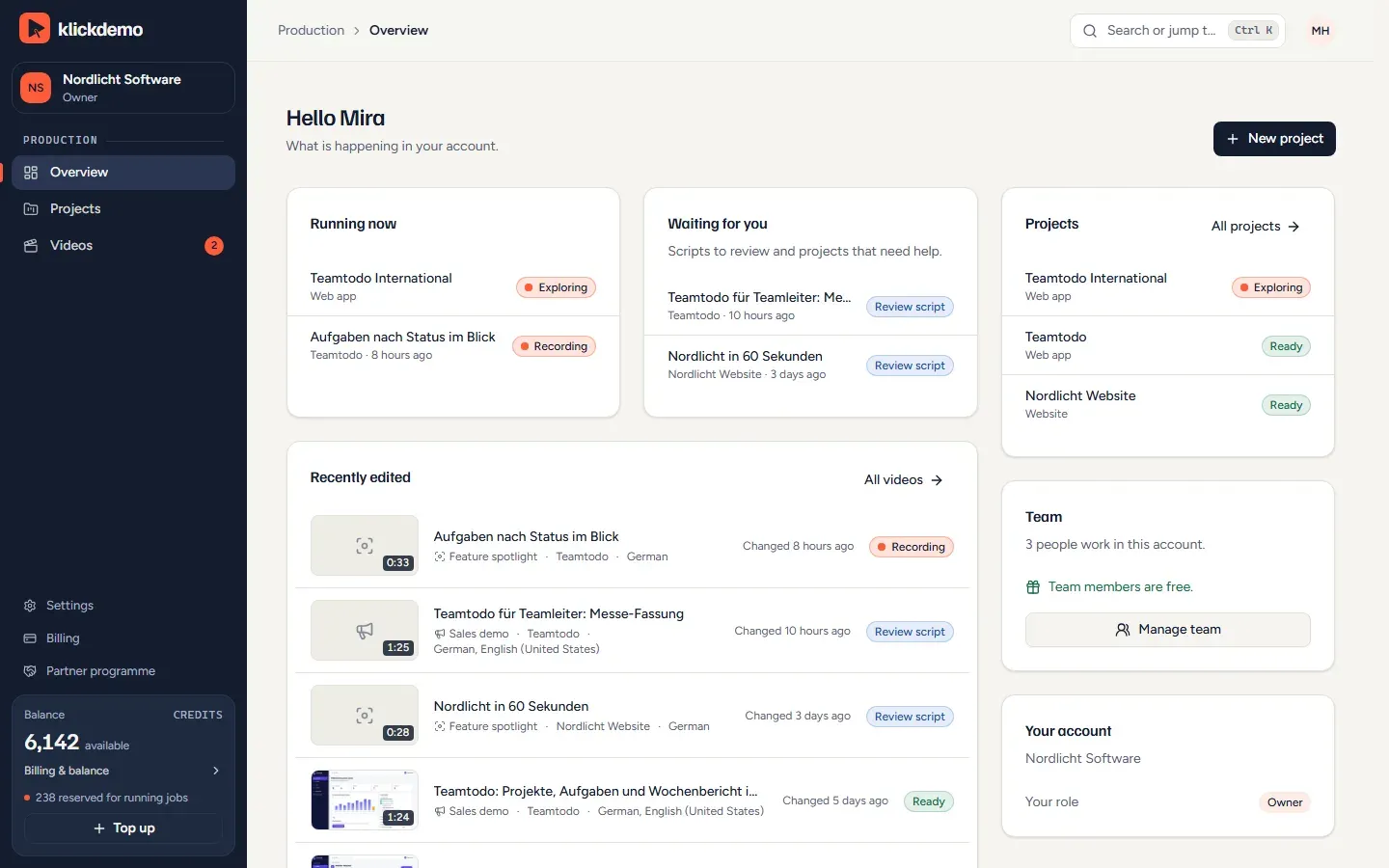
Screenshot: overview with a running exploration and recording, scripts to review and recently edited videos (demo account)
06
Pricing
All prices net plus VAT, offered to businesses only. 100 credits are one finished new video minute. Try it free with 250 credits and no card; Enterprise from 25,000 credits per month with an individual quote.
Starter, monthly
€59net per month, 1,000 credits per month
Starter, yearly
€590net per year, equals €49.17 per month
Pro, monthly
€149net per month, 3,000 credits per month; €1,490 per year
Business, monthly
€399net per month, 8,000 credits per month; €3,990 per year
07
Frequently asked
What does Klickdemo cost?
Starter costs €59, Pro €149 and Business €399 per month, each net plus VAT. Paid yearly, you pay ten monthly prices, so €590 for Starter, which equals €49.17 per month. The plans include 1,000, 3,000 or 8,000 credits per month, valid for 90 days. A finished new video minute costs 100 credits, an additional language 30 and an update with the same script 20 credits per minute. From Starter on, additional team members cost nothing.
Can I try Klickdemo for free?
Yes. The free teaser includes 250 credits for one project from a website or an Excel file, in 720p with a watermark, with no card and no password; you sign in with a code sent by e-mail. Teaser credits are valid for 30 days. If it fits, you switch to a plan.
Do I need a demo account in my software?
For web apps with a login, yes: a test account with sample data, no real customer data, because the model sees screenshots as the account looks. Public websites and Excel files need no account. The free teaser deliberately accepts no credentials and is limited to websites and Excel files.
What is the AI allowed to click in my application?
You decide per source. The default is read only: the agent navigates, fills forms and shows actions but never triggers anything final. Delete, pay or send is shown, not executed. If you allow creating objects, the agent creates sample data that stays in your demo account. The rules are enforced by code, not by the AI.
What happens if a recording fails?
Before every recording you see an estimate and the maximum; more is never charged. If the fault is on Klickdemo's side, the run costs nothing and is retried automatically. If it lies with your application, for example because the sign-in fails, you pay at most 50 credits, and once per project it is free. Within 7 days you get a new recording at the price of an update, free of charge in case of a quality defect.
What happens to the credentials of my demo account?
Credentials are stored AES-256-GCM encrypted, decrypted only for the recording agent and never reach the AI model. In page texts the software replaces e-mail addresses, IBANs and card numbers before they go to the model. Your content is not used for training. You sign the data processing agreement in your account, and the sub-processors are listed publicly on klickdemo.com.